
AI Christmas Photo Generator
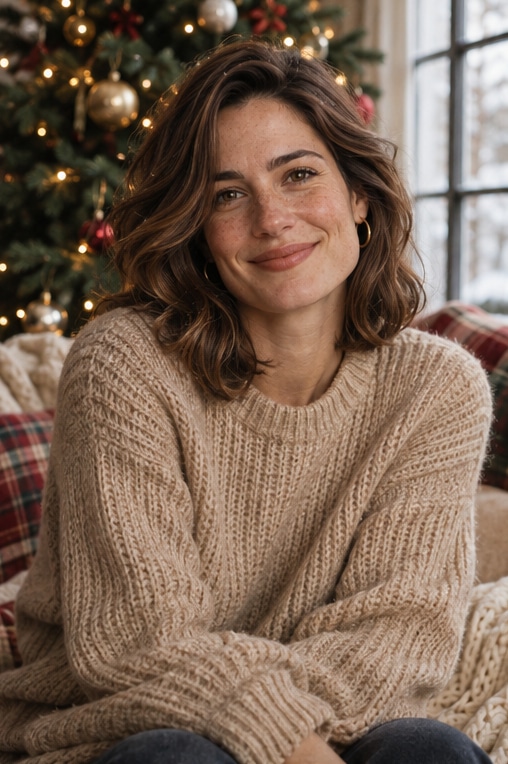
Creating your image…
Start with your photo
Available balanceLoading balanceSign in to viewUnavailable
About this effect
One selfie. A cozy Christmas portrait by the tree.
What photo works best for a Christmas portrait?
A front-facing adult portrait with even light and a clear face.
How do I download my photo?
Keep this page open. When your image appears, tap Download. Want to add a greeting? Open it in the free Christmas Card Maker.
Make a warm Christmas portrait from your photo
Castario places you next to a decorated tree in warm indoor light, ready for a card or your profile. Want something different? Try the outdoor Snow portrait or the Snow globe.
Choose your photo
- A sharp photo of one adult, face in clear view, soft even light.
- Skip sunglasses and heavy filters. A messy background is fine.
- The room, clothes and lighting are restyled for Christmas.
What to check in the result
- Compare the face with your photo, then download. Add your greeting in the free Christmas Card Maker so the text stays crisp.
More about this template
Will it keep the room from my original photo?
No. You get a new festive scene.
Can I add a name or Christmas greeting?
Yes. Download the photo, then add your text in the free Christmas Card Maker so it's crisp and editable.
How is this different from the free card editor?
This page creates a new AI portrait. The card maker puts a photo you already have into a card frame, for free.