
Make a digital Christmas card with your photo
Put your favorite photo in a Christmas frame, add a greeting and download it as a PNG to send by message or email. Free, no account.
1. Choose a Christmas card frame
Open the card maker and browse the designs. This walkthrough uses Reindeer Post. Pick a frame that leaves room around the faces in your photo.
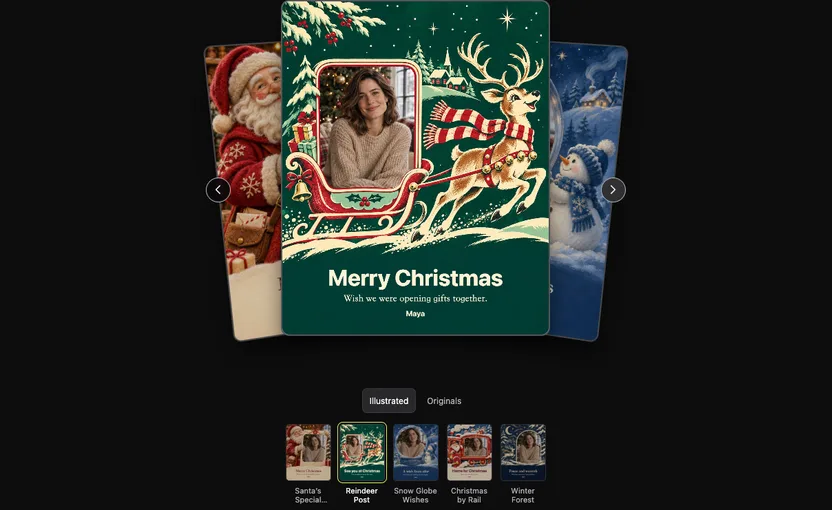
2. Put your photo in the frame
Click Choose a photo. (On a phone, it's under the heading.) If the frame cuts someone off, try another frame or a photo with more space around everyone.
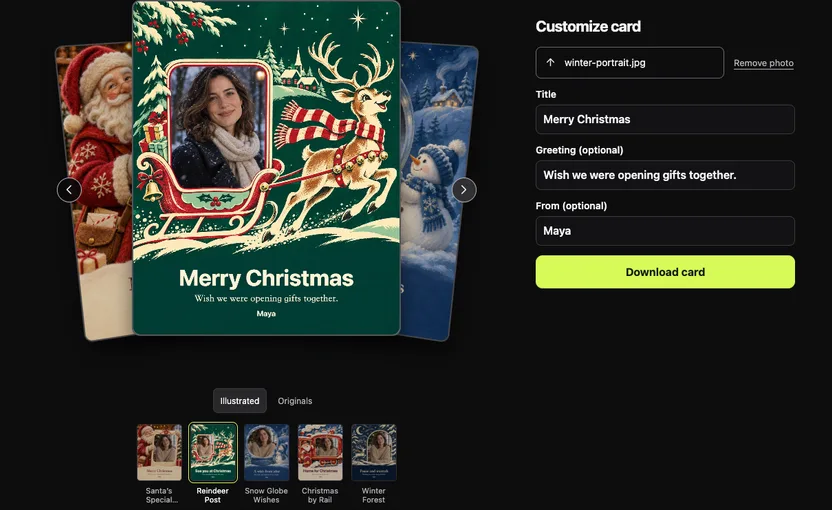
3. Write your greeting and sign it
Keep "Merry Christmas" or write your own title. Add a line like "Wishing you a cozy Christmas" and sign it in the From field. Shorten anything that looks cramped.
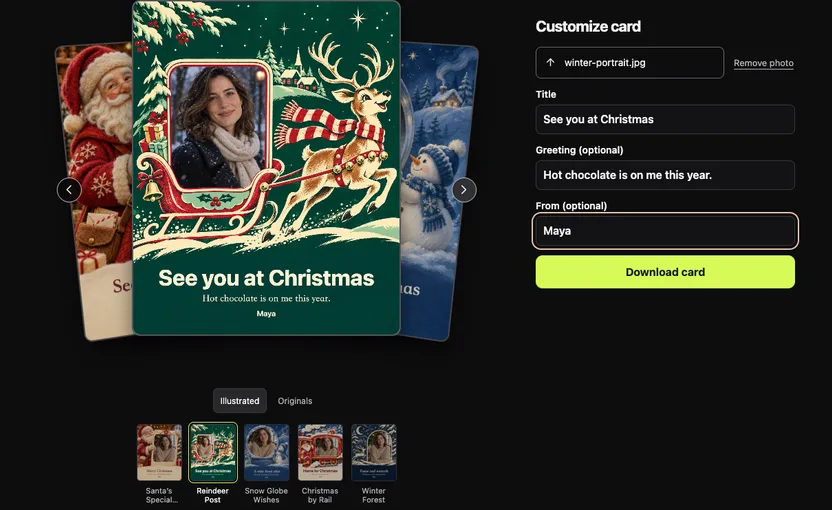
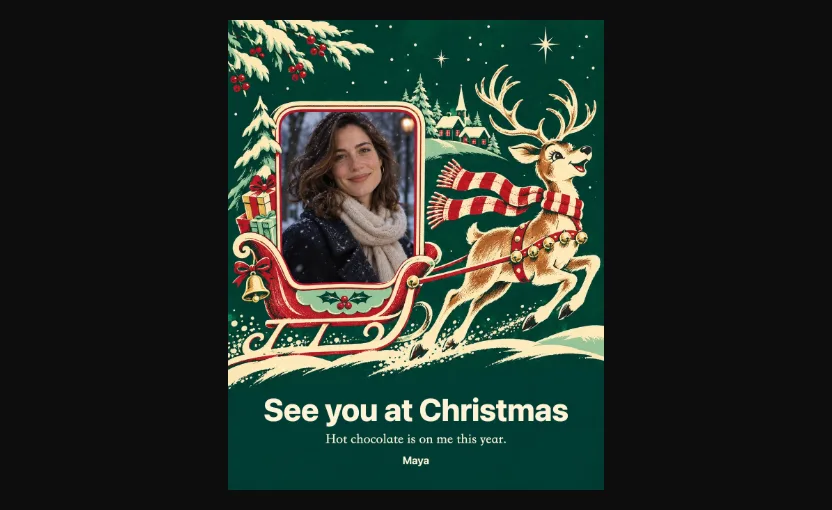
4. Download the PNG and send it
Click Download PNG to save a 1080 × 1350 card. Send it in a message, email or as a post.

What is free, and when does AI cost extra?
Everything above is free. The only paid extra is the Santa-hat edit ($0.50 or 1 coin): AI puts a Santa hat on you, then the card maker gives you four card layouts with that photo, all included in the one price.
For a different Christmas scene, try the AI Christmas photo generator. It is a separate paid photo effect.
Does the card maker change or upload my photo?
Not for free cards. Your photo stays in your browser and isn't redrawn. Only the paid Santa-hat edit sends it to our AI provider. Read the photo privacy details.