
Put your face on a GTA-style poster
Want to be the cover star? Upload one selfie, pick a scene, and Castario draws you into a GTA-style illustration. No prompts to write. $0.50 for one image, no sign-up.
Choose the format for the picture you want to share
- Solo poster: one main character in a square composition. Use it as a profile image or a standalone character poster.
- Cover collage: a taller cover-style composition with a central portrait and supporting scene panels. Choose it when you want yourself to be the main character across a complete poster.
Both formats use one uploaded photo. Choose among ten scene presets using the left and right arrows or a swipe. Switching formats keeps your selected scene. These are individual purchases: choosing a preset does not generate or charge for ten pictures.
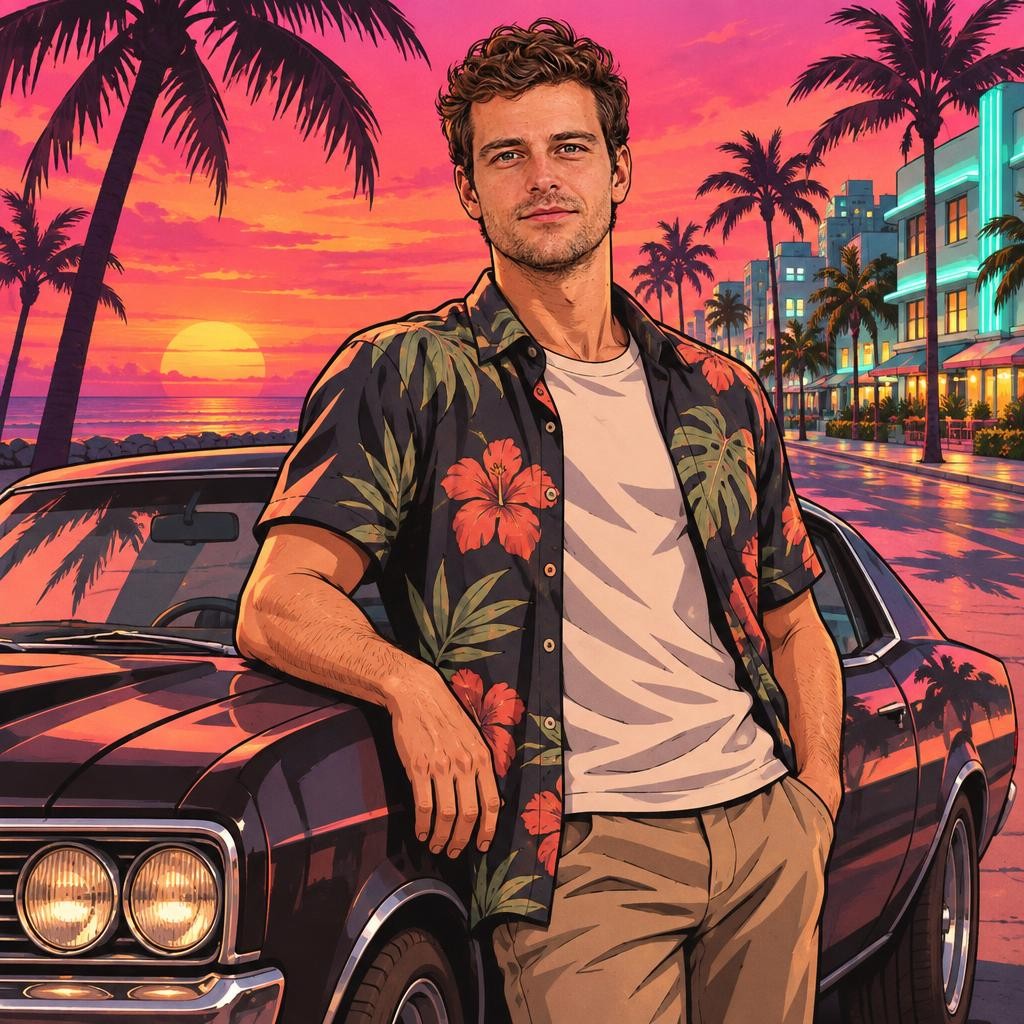
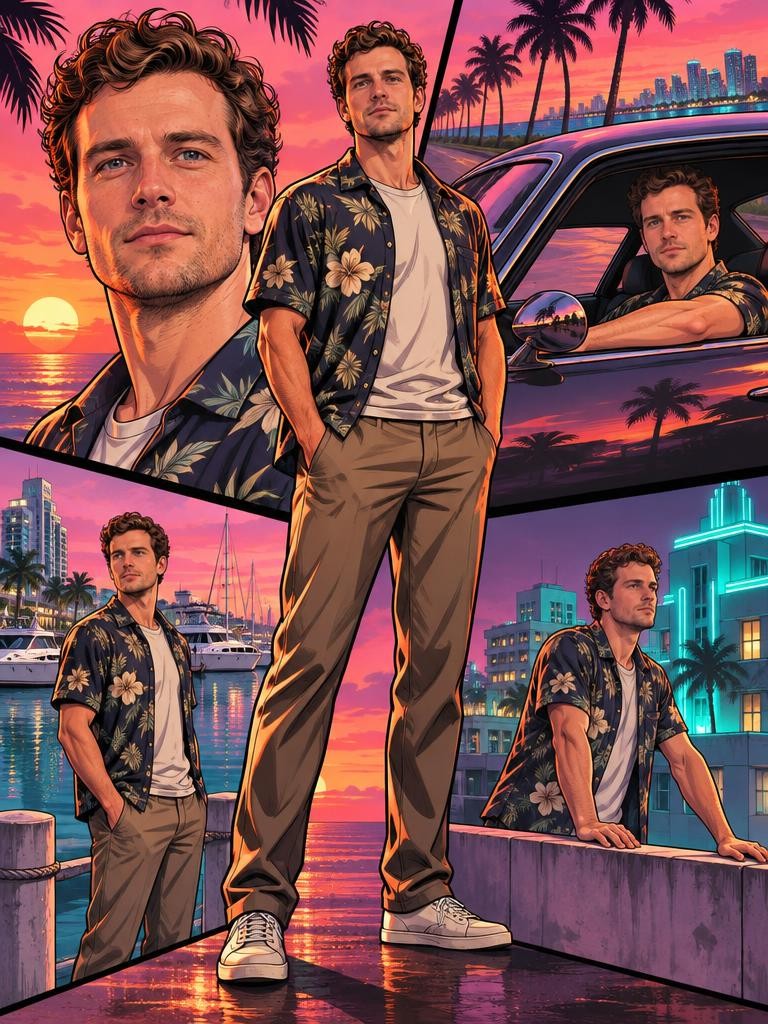
Both examples were made from the same AI-generated portrait. Your result will follow your own face.
A GTA character poster made from your selfie
The result is a new illustration based on your photo, rather than a face pasted onto an official game cover. The square image is useful when your face should remain prominent at avatar size. The collage gives more room to the setting and surrounding scenes. Castario does not make a playable character or import anything into GTA.
Choose a photo that makes your face easy to read
Use one well-lit portrait of an adult, with the whole face visible. Avoid heavy filters, sunglasses, hair across the face and group shots. Facial resemblance can vary even with a clear photo. Uploading a photo gives the model a reference; it does not guarantee an exact copy.
Pay once or use coins?
For one poster, pay $0.50 with Stripe when one-time payment is available, no account needed. Already have coins? Sign in and use 1. New accounts don't come with free coins. First-time one-time coin purchases below 50 coins still receive 10% off. See plans for current monthly plans and coin purchases.
1. Choose a format and scene, then upload one photo
JPG or PNG, at least 256 px per side, up to 5 MB.

2. Pay $0.50 once, or use 1 shared credit
Confirm you're 18+ and allowed to use the photo. Stripe opens in a new tab; keep the original tab open.

3. Preview, download and share your poster
Your image appears in the original tab. Download it right away; it's kept for up to 10 minutes.

Check the result before you share it
Look at the face, hair and hands. For a collage, check whether the person looks consistent across the panels and whether important details are cropped. AI-generated faces and repeated details can vary. Download the JPEG while the original page is open; you decide where to share the saved file.
Photo, payment and delivery questions
Is it free after registration?
No. Registration does not grant free credits. Choose one paid image or buy common coins. One coin has CNY 1 face value; the coin-purchase discount changes the cash price, not the face value or image charge.
What happens if payment or generation fails?
Generation starts only after the server verifies payment. A confirmed failed cash order is refunded; refunds may take time to appear at the bank. If the supplier outcome is uncertain, the order pauses for a usage check and is not generated again automatically. Use Check this order after a connection interruption. An undelivered credit image releases its hold when it expires.
Are my portrait and result saved?
Castario uses temporary server memory for the portrait and output, not a public gallery. Paid delivery lasts up to 10 minutes after generation; restarting the service may end it earlier. Keep the original page open and download promptly. OpenAI processes the photo under its API data terms. Order and payment metadata are retained for billing.
Image privacy · Terms and pricing
Want a GTA-style video instead?
For a moving restaurant scene with your portrait, see the separate GTA Diner video template. Video pricing and workflow are separate from this one-credit image tool. View GTA Diner
Independent AI illustration tool; not affiliated with Rockstar Games or Take-Two Interactive. Updated November 25, 2026.